Rebuild · $197/month
Why Is My WordPress Site So Slow and Fragile?
Slow, breaking, and nobody's touched it in two years. Why WordPress decays, what maintenance actually covers, and what it costs to skip. $197/month.
The Site Rescue starts the moment your order is placed. I’ll email you within one business day, usually much sooner, to get access and book the 30-minute intake call. If the site is under attack right now, call (754) 302-4631 after you pay.
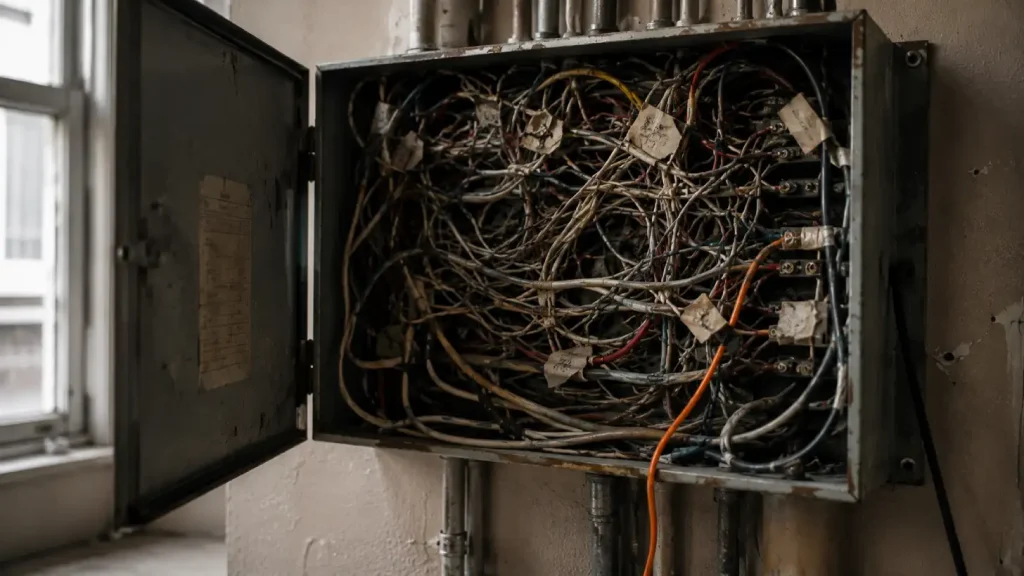
Your WordPress site is slow and fragile because nobody has actively owned it, and WordPress decays without ownership. Plugins accumulate, updates get skipped because one broke something once, the theme falls behind the platform, and the hosting you chose for a much smaller site never got revisited. sosSTEVIE handles WordPress optimization, migration and maintenance as one continuous job for $197 a month — auditing what's installed, removing what isn't earning its place, and keeping it fast, current and secure so it stops being an emergency.
Key takeaways
- WordPress doesn't break suddenly. It decays gradually until one update tips it over — then the update gets blamed.
- Every plugin is code someone else wrote, running on your server, with your database access.
- "The update broke my site" almost always means the site was already broken and the update revealed it.
- Skipping updates because one broke something is the single most common route to being hacked.
- At $197/month, maintenance costs less per year than one emergency. It's arithmetic, not insurance.
~/rebuild/wordpress-optimization-maintenance · ownership standard
Rebuild · $197/month
Why Is My WordPress Site So Slow and Fragile?
Slow, breaking, and nobody’s touched it in two years. Why WordPress decays, what maintenance actually covers, and what it costs to skip. $197/month.
wp plugin list --audit
installed53 plugins
owner could name6
duplicates3 · same job, fighting each other
abandoned2 · support forums archived
edited in place1 · not updated for six years · 3 public vulnerabilities
load timeeleven seconds
# sediment, laid down by four developers over eleven years
answer
Your WordPress site is slow and fragile because nobody has actively owned it, and WordPress decays without ownership. Plugins accumulate, updates get skipped because one broke something once, the theme falls behind the platform, and the hosting you chose for a much smaller site never got revisited. sosSTEVIE handles WordPress optimization, migration and maintenance as one continuous job for $197 a month — auditing what’s installed, removing what isn’t earning its place, and keeping it fast, current and secure so it stops being an emergency.
key takeaways
- WordPress doesn’t break suddenly. It decays gradually until one update tips it over — then the update gets blamed.
- Every plugin is code someone else wrote, running on your server, with your database access.
- “The update broke my site” almost always means the site was already broken and the update revealed it.
- Skipping updates because one broke something is the single most common route to being hacked.
- At $197/month, maintenance costs less per year than one emergency. It’s arithmetic, not insurance.
the story
I audited a site last year with fifty-three plugins on it. The owner could name six.
The rest were sediment. Layers laid down by four different developers over eleven years, each one solving a problem that stopped existing in about 2019. Three plugins doing the same job, badly, and fighting each other. Two abandoned by their developers so long ago the support forums had been archived.
One that a previous agency had installed to add a feature, then hacked directly in the plugin folder, meaning it could never be updated again without silently breaking the site — so nobody had updated it, for six years, while three separate vulnerabilities were publicly disclosed against it.
The site took eleven seconds to load. The owner had genuinely stopped noticing. He’d been apologizing to prospects on the phone for two years — “it’s a bit slow, bear with it” — and had come to think of that sentence as part of his business rather than a symptom.
He didn’t have a WordPress problem. He had a nobody-owns-this problem.
WordPress was just where it accumulated.
how a wordpress site decays
Nobody makes a bad decision. That’s what makes it hard to see.

- Year one12plugins
Fresh build, twelve plugins, fast, everything current. Genuinely good.
- Year two20plugins
You need a booking form. Someone adds a plugin. Fine. You need a slider, a popup, a spam filter, an analytics thing. Each one is a sensible decision made in isolation.
- Year threeoffauto-updates
An update breaks the site for an afternoon. Someone panics. The conclusion drawn — and this is the moment the whole thing turns — is “updates are dangerous.” Auto-updates get switched off. Now the site is frozen in time while the world it depends on keeps moving.
- Year four35plugins
The original developer’s gone. The new one doesn’t dare touch anything they didn’t build, so they add rather than change. Nobody deletes anything, ever, because nobody knows what’s load-bearing.
- Year five53plugins
Eleven seconds. Fifty-three plugins. You apologize on sales calls and don’t hear yourself doing it.
The tragedy is that year three is where it went wrong, and year three felt like caution.
why “the update broke my site” is almost never true
An update didn’t break your site. Your site was already broken. The update revealed it.
This is the belief I have to dismantle on nearly every call, so let me do it here.
If a routine security patch takes your site down, something was depending on behavior it was never entitled to depend on — a hacked plugin file, a theme overriding core in an unsupported way, two plugins fighting over the same hook. That fragility existed the whole time. The update just tripped over it.
Here’s the ugly bit. The lesson people take from that afternoon is “stop updating.” Which means the fragility is now permanent, and the vulnerabilities pile up behind it.
You’ve responded to a warning light by removing the bulb.
Then eighteen months later a bot walks in through a hole that was patched a year ago, and the site that was too fragile to update turns out to have been too fragile to keep. I’ve seen where that road ends. I’ve been where that road ends.
Updates aren’t the risk. Not being able to update is the risk.
the ownership standard
Inventory, subtract, stabilize, optimize. Then own it.
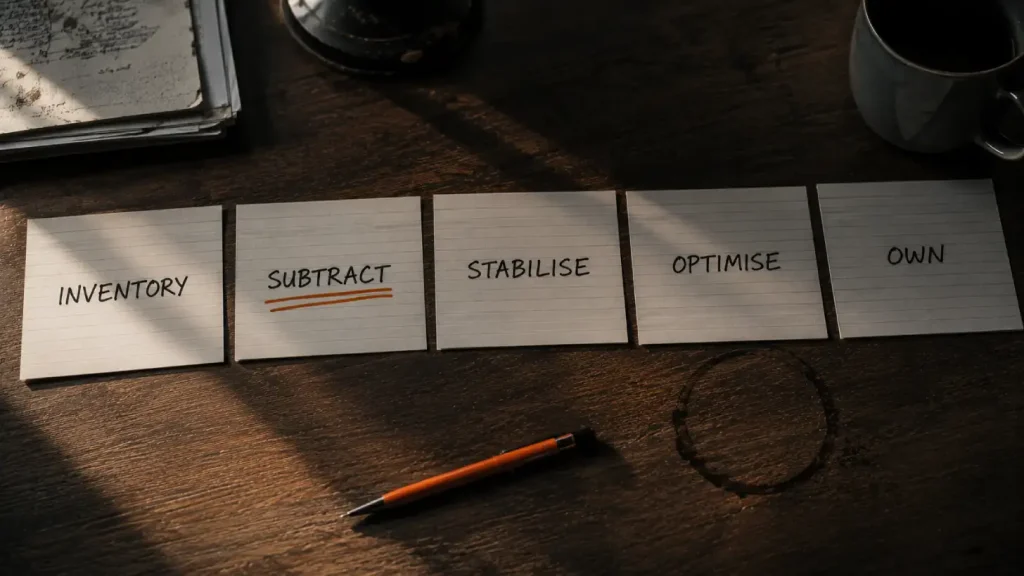
Inventory.
Every plugin, what it does, who maintains it, when it was last updated, whether anything actually uses it. Most owners have never seen this list. It’s usually the most uncomfortable document I hand over and the most useful.
Subtract.
Delete everything that isn’t earning its place — deactivated isn’t deleted, the code’s still there and still exploitable. This is the only optimization that makes your site faster and more secure and cheaper, all at once, for free. It’s also the step everyone wants to skip, because deleting feels riskier than adding. It isn’t.
Stabilize.
Fix what makes updates dangerous — remove hacked plugin files, move customizations into a proper child theme, resolve conflicts. Do this and updates stop being a gamble, which is what makes everything downstream possible.
Optimize.
Now speed work actually holds: caching, images, database, queries, hosting. Note the order — most agencies sell you step 4 while steps 1–3 are still undone, which is why the speed gains evaporate within months.
Own it.
Weekly updates on staging first, monitoring, off-site backups with tested restores, and a quarterly inventory so the sediment never builds again.
That last one is the actual product. Steps 1–4 are a project. Step 5 is why it doesn’t come back.
what $197 a month actually buys
Not a monthly invoice for clicking “update” and emailing a PDF.
Most maintenance plans are exactly that. I understand why they sell — they’re cheap and they look like the thing. Here’s what’s actually in mine.
wordpress optimization, migration and maintenance
One continuous job, so it stops being an emergency.
- Updates tested on staging before production. Not on your live site while customers are on it.
- Security patching within days of disclosure, not on a monthly cycle — see the five-hour number above.
- Uptime and index monitoring. Your site can be perfectly up and completely invisible. Mine was.
- Off-site backups on a rotation long enough to predate a breach you haven’t noticed yet, with restores that get tested rather than assumed.
- Quarterly plugin inventory so the sediment never rebuilds.
- A named human who answers the phone. (754) 302-4631.
not sure what’s on it? · the sos digital diagnostic
Find out what’s actually on your site.
One fixed price. I find what’s wrong, fix what’s causing the damage, and tell you plainly what’s left. If anything beyond $997 is needed, you’ll see the scope and the cost first.
The honest pitch isn’t peace of mind. It’s arithmetic, and the clean-up is the smallest number in it. At $197 a month you’re spending $2,364 a year. A single emergency clean-up starts at $997, and that’s before you count the revenue lost while you’re down and the months spent rebuilding domain trust.
You’re not buying safety. You’re buying a scheduled hour instead of an unscheduled week.
And the unscheduled week always arrives in the middle of something else that matters.
frequently asked questions
The questions buyers actually ask.
How much should WordPress maintenance cost?
Mine is $197 a month, which covers staged updates, rapid security patching, uptime and index monitoring, tested off-site backups, quarterly plugin audits, and a person who answers the phone. Cheaper plans usually mean automated updates with nobody watching the result. The useful comparison isn’t against other plans — it’s against one emergency, and what you lose while you’re down before you count the clean-up.
Why is my WordPress site so slow?
Usually plugin bloat, unoptimized images, an overloaded database, and hosting chosen for a much smaller site years ago — roughly in that order. Speed work is genuinely effective, but only after the plugin inventory is cleaned up, because caching a site with fifty-three plugins treats the symptom. The fastest optimization available to most sites is deletion, and it costs nothing.
How many plugins is too many?
There’s no magic number — one badly written plugin does more damage than twenty good ones. The useful test is whether you can name what each plugin does and confirm someone still maintains it. If you can’t, you don’t have plugins, you have sediment. Most sites I audit could delete a third of theirs today with no loss of function.
also in rebuild
Fix the foundation first.
somebody has to own it
That’s not a WordPress failure. That’s what anything does when nobody owns it.
The man with fifty-three plugins wasn’t negligent. He made eleven years of individually sensible decisions and ended up with a site that took eleven seconds to load and couldn’t be updated without breaking.
Or call (754) 302-4631.
About Stevie
I’ve been maintaining WordPress since long before it was fashionable to admit it. I’ve also had a WordPress site taken away from me by a hole I hadn’t patched, which is a very direct way to learn why the boring work matters.
Now I do the boring work. It’s not glamorous. It’s the difference between a scheduled hour and an unscheduled week.
My own website was taken over once. It looked completely normal in my browser while tens of thousands of spam pages ran underneath it. I found out when the calls stopped, and I had to take the whole thing down. I diagnose before I quote, because I know exactly what it costs to be certain about the wrong thing. The whole story is here.
sosSTEVIE: for when your digital presence is broken, invisible, or about to be.
Frequently asked questions
How much should WordPress maintenance cost?
Mine is $197 a month, which covers staged updates, rapid security patching, uptime and index monitoring, tested off-site backups, quarterly plugin audits, and a person who answers the phone. Cheaper plans usually mean automated updates with nobody watching the result. The useful comparison isn't against other plans — it's against one emergency, and what you lose while you're down before you count the clean-up.
Why is my WordPress site so slow?
Usually plugin bloat, unoptimized images, an overloaded database, and hosting chosen for a much smaller site years ago — roughly in that order. Speed work is genuinely effective, but only after the plugin inventory is cleaned up, because caching a site with fifty-three plugins treats the symptom. The fastest optimization available to most sites is deletion, and it costs nothing.
How many plugins is too many?
There's no magic number — one badly written plugin does more damage than twenty good ones. The useful test is whether you can name what each plugin does and confirm someone still maintains it. If you can't, you don't have plugins, you have sediment. Most sites I audit could delete a third of theirs today with no loss of function.
Also in Rebuild
Stop guessing.
One diagnosis. Find it, fix it, get back online. Small and medium sites are usually fully recovered within the $997.
The Site Rescue starts the moment your order is placed. I’ll email you within one business day, usually much sooner, to get access and book the 30-minute intake call. If the site is under attack right now, call (754) 302-4631 after you pay.
The Backstory
Two years ago my own website was taken over. It looked completely normal in my browser while tens of thousands of spam pages ran underneath it. I found out when the calls stopped, and I had to take the whole thing down.
I diagnose before I quote, because I know exactly what it costs to be certain about the wrong thing. The whole story is here.