Rescue
How Do I Stop My Website From Getting Hacked?
Nobody chose your site. A bot found it. That's better news than it sounds — because it means the fix is knowable.
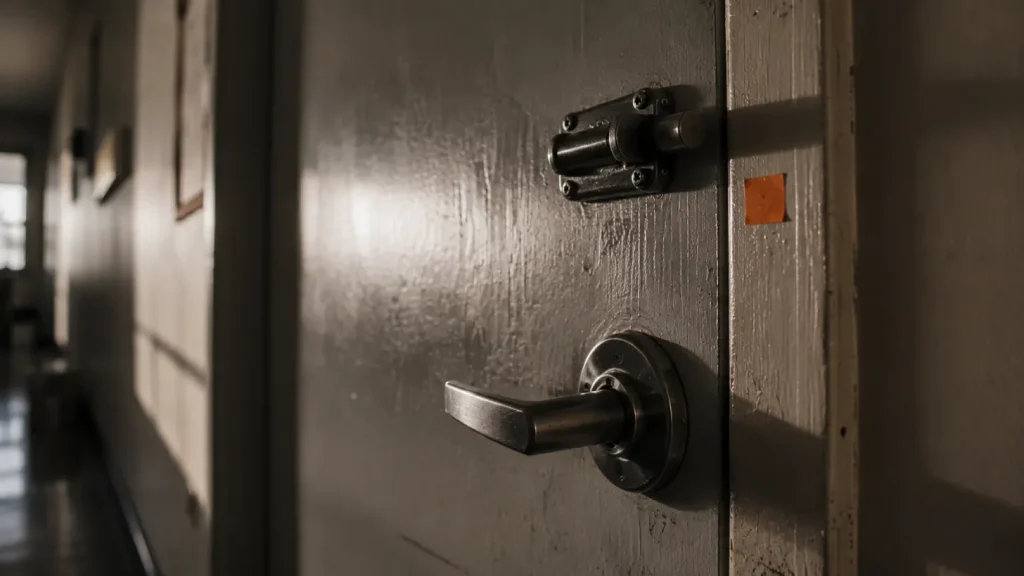
You stop your website from getting hacked by closing the doors that automated scanners actually try — which is a much shorter list than the internet suggests. In practice: keep everything updated, remove what you don't use, enforce two-factor authentication on every admin account, restrict file permissions and login access, and run integrity monitoring that tells you when a file changes.
Key takeaways
- You weren't targeted. A bot found a known hole. Almost every small business compromise works this way.
- The clock is brutal: about half of high-impact WordPress vulnerabilities are exploited within 24 hours of public disclosure.
- A security plugin is a smoke alarm, not a locked door.
- The most common entry points are boring: outdated plugins, reused passwords, no 2FA, abandoned admin accounts.
- Detection matters more than prevention, because damage is a function of how long it runs unnoticed.
- You can eliminate most of this category of risk entirely by not having a public login page at all.
Rescue · Prevention · Quoted
How Do I Stop My Website From Getting Hacked?
Nobody chose your site. A bot found it.
That’s better news than it sounds, because it means the fix is knowable. Close the doors automated scanners actually try. Then watch, so if anything gets through you know in hours, not weeks.
Already been hit? Call (754) 302-4631. The Site Rescue starts with containment and clean-up.
The direct answer
You stop your website from getting hacked by closing the doors that automated scanners actually try — which is a much shorter list than the internet suggests. In practice: keep everything updated, remove what you don’t use, enforce two-factor authentication on every admin account, restrict file permissions and login access, and run integrity monitoring that tells you when a file changes.
Key takeaways
- You weren’t targeted. A bot found a known hole. Almost every small business compromise works this way.
- The clock is brutal: about half of high-impact WordPress vulnerabilities are exploited within 24 hours of public disclosure.
- A security plugin is a smoke alarm, not a locked door.
- The most common entry points are boring: outdated plugins, reused passwords, no 2FA, abandoned admin accounts.
- Detection matters more than prevention, because damage is a function of how long it runs unnoticed.
- You can eliminate most of this category of risk entirely by not having a public login page at all.
The story
The question I get asked, always, is why me?
There’s a particular kind of hurt in it. People assume they were chosen. That some person sat down, looked at their little dental practice or their furniture shop, and decided to come after them specifically. It feels personal, and it makes them feel both violated and slightly ridiculous. Who’d bother?
Nobody bothered. That’s the thing.
A script found them. It was running through IP ranges looking for one specific outdated plugin version, the way a bot tries ten thousand door handles a minute and walks through whichever one turns. Nobody knew whose site it was. Nobody cared.
I remember finding this out about my own hack and feeling two things at once. Relief, because it wasn’t personal. And something much worse, because it wasn’t personal. It was going to happen to the next unlocked door too, and the next, forever. The only variable was whether mine was locked.
Mine wasn’t. That’s the whole story.
The clock
Five hours. That’s the window.
The moment a vulnerability is published, an exploit script exists and bots start sweeping for unpatched sites. Disclosure isn’t a warning that gives you time to plan. It’s the starting gun, and the race is mostly run by the time you read about it over coffee.
Source: Patchstack, State of WordPress Security in 2026.
The doors that actually get tried
Forget the hoodie. Here’s how sites actually fall over.
Outdated plugins and themes.
91% of 2025’s 11,334 new WordPress vulnerabilities were in plugins, not core. The script in the story above was looking for exactly one outdated plugin version.
Reused and weak passwords.
Your admin password appeared in someone else’s data breach three years ago and is now in a credential-stuffing list. Nobody cracked anything. They just tried it. IBM’s 2025 breach research found attackers increasingly “log in rather than hack in”, with credential-based intrusions among the slowest of all to detect: around 246 days on average.
No two-factor.
The single highest-leverage control on this page, still not enabled on most of the sites I audit. It costs nothing and it turns a stolen password into a non-event.
Abandoned accounts.
The developer from 2019. The marketing agency you stopped using. The intern. Every dormant admin account is a live key held by someone who isn’t thinking about your security, and half of them reuse the same password everywhere.
Plugins you forgot you installed.
Deactivated is not uninstalled. The code is still on the server and, depending on the vulnerability, still exploitable. I regularly find sites running forty plugins where the owner can name nine.
Your hosting.
Cheap shared hosting means a compromise on someone else’s site can reach yours. You did nothing wrong and you’re infected anyway.
Notice what’s not on this list: anything sophisticated. Nobody’s writing a custom exploit for your business. They don’t need to.
Why a security plugin isn’t the answer
A plugin is a smoke alarm. Not a locked door.
Most people I audit believe they’re covered because they installed a well-known security plugin, it has a green tick, and green means safe.
Here’s what actually happened. They installed it, ran the setup wizard, clicked through the defaults, and never opened it again. It now sends alert emails to an address nobody reads, about events nobody triages, while the plugin itself sits three versions out of date. That’s a genuinely funny way to get breached, and I’ve seen it more than once.
Security plugins are useful. I install them. But a smoke alarm may tell you there’s a fire. It doesn’t lock the door, it doesn’t remove the fuel, and it definitely doesn’t put anything out. Owning one and calling yourself secure is like owning a gym membership and calling yourself fit.
The uncomfortable bit: a plugin creates the feeling of being covered, and that feeling is what stops people doing the five boring things that would actually work.
I’d rather you had 2FA, current updates and eleven fewer plugins than the best security suite on the market.
Tier one · The Locked Door Standard
Five layers. Each one closes a category, not a single exploit.
Which is why this doesn’t go stale every time a new vulnerability drops.
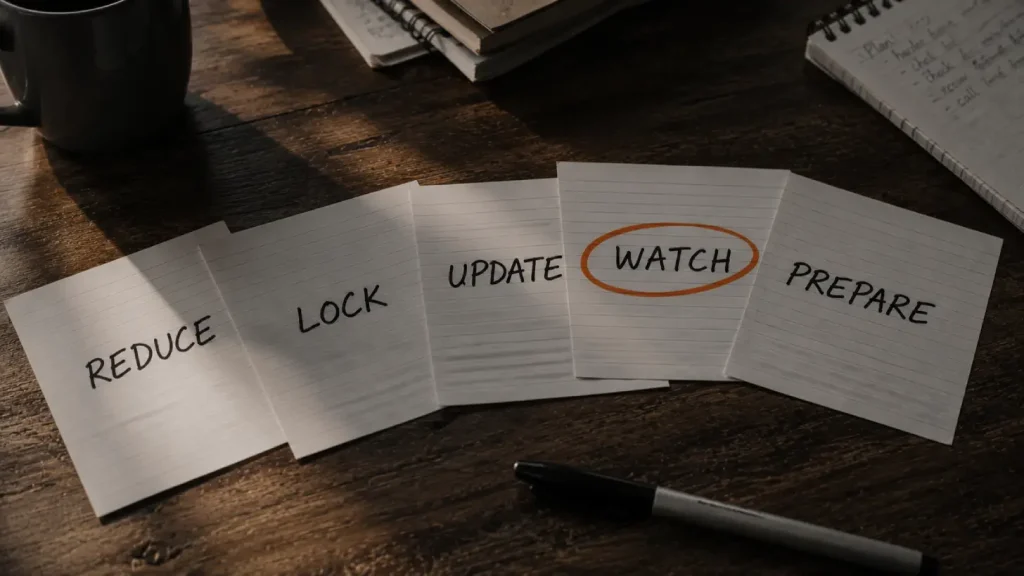
Reduce the surface.
Delete every plugin, theme and user account you don’t need. Not deactivate: delete. The only security work that makes your site faster, costs nothing, and I’ve never once done it without finding something that shouldn’t be there.
Lock the doors.
2FA on every admin, unique credentials, least-privilege roles, restricted file permissions, file editing disabled in admin, a protected login endpoint.
Keep it current.
Automatic updates for security patches. Given the five-hour window, “we update monthly” is not a security posture. Plus monitoring for plugins their developers abandoned, because an unmaintained plugin’s next disclosed hole is permanent.
Watch it.
File integrity monitoring, admin account change alerts, index size monitoring, and the one nobody does: an uptime check on your search presence, not just your server.
Prepare to lose.
Off-site backups on a rotation long enough to predate an undetected breach, tested restores, and a written response plan. The whole game is how fast you find out and how cleanly you recover.
My site never went down for a second. That’s exactly why it took me weeks to notice.
Tier two · The Unhackable Core
Everything above is defense. This is removal.
Nearly every vulnerability in that 11,334 needs a running WordPress installation, reachable from the public internet, executing PHP, talking to a database, with a login page at a URL every bot on earth already knows.
So don’t have one.
The Unhackable Core keeps WordPress: the editor you know, your workflow, the plugins you actually use. But it stops being a public website. It becomes a private backend engine, locked behind authentication and IP restriction, reachable only by you. When you publish, it generates static HTML and pushes it to Cloudflare’s edge.
What your visitors get is a folder of HTML, CSS and images served from a CDN. What an attacker gets is the same folder of HTML.
| Attack surface | Public WordPress | Unhackable Core |
|---|---|---|
| Login page | At a URL every bot already knows | Not public. Nothing to brute-force |
| PHP where visitors are | Running on the public server | None. There’s no PHP there |
| Database | Sitting behind the public site | Not reachable from the internet |
| The 9am disclosure | Exploited by 2pm if unpatched | Can’t reach a machine that doesn’t answer the phone |
| Speed | Database query, PHP render, cache | Static files from an edge network. Nothing to compute |
And it’s faster.
Substantially. Static files from an edge network beat even a well-tuned WordPress install, because there’s nothing to compute: no database query, no PHP render, no cache to miss. The security architecture and the speed architecture turn out to be the same architecture. The rare case where you don’t have to trade.
What it costs you.
Anything that needs real-time server logic needs rethinking. Forms, search, comments, membership areas, live inventory: all solvable with edge functions or third-party services, but they’re decisions to make deliberately, not assume. Publishing has a build step, so changes appear in minutes rather than instantly. And it’s a bigger up-front project than hardening.
Who it’s for: anyone who’s already been hit and can’t face it twice. Anyone whose site is a genuine revenue channel rather than a brochure. Anyone in a regulated field where a compromise is a reportable event. And anyone who wants their site to be genuinely, measurably fast.
The part that matters most
Layer 4. Detection.
Everyone spends their security budget on prevention, which is understandable and slightly wrong. Prevention is a probability game you will eventually lose: a zero-day, a compromised host, an employee laptop. Given enough time, something gets through. (Unless there’s nothing there to get into, which is the entire argument for Tier Two.)
What decides the damage is dwell time: how long it runs before you notice. IBM’s 2025 research puts the average time to identify a breach at 181 days. Six months. Breaches caught before the 200-day mark cost dramatically less than those that run longer. At enterprise scale, a difference measured in millions.
An incident. Annoying, contained, unremarkable.
Thirty thousand spam pages, a torched domain reputation, and a decision about whether to start again.
Same hole. Same attack. Wildly different outcome, and the only variable was the clock.

My site never went down. Never threw an error. Never looked wrong. It just quietly stopped being mine while I looked straight at it every day and saw nothing.
That’s what monitoring is for. Not to stop the break-in, but to make sure you’re not the last person to know.
How it’s priced
Diagnose first. Then lock the right doors.
Hardening is quoted, because every site has a different set of doors. The Site Rescue’s security sweep finds them, and the quote covers exactly those.
Start here
The SOS Site Rescue
Security, foundation, visibility and conversion. I fix what’s causing damage and close the entry point, then give you a written report of what’s left, in order.
Tier one
The Locked Door Standard
- Reduce the surface
- Lock the doors
- Keep it current
- Watch it
- Prepare to lose
Tier two
The Unhackable Core
- WordPress becomes a private backend
- Visitors get static HTML from Cloudflare’s edge
- No public login, no public PHP, no public database
- A bigger up-front project than hardening
Lock the door
Nobody chose you. A script found an unlocked door, walked in, and did what scripts do.
There was nothing personal in it, and there’s nothing personal in fixing it either. But it did find mine. Since then, my work has been making sure it doesn’t find yours.
Frequently asked questions
Straight answers.
Is a security plugin enough to protect my website?
No. A security plugin is a smoke alarm — it may alert you to a problem, but it doesn’t close the holes attackers actually use. Most breaches I investigate happen on sites that had a security plugin installed and configured with defaults nobody revisited. Worth having as one layer among several, but on its own it mostly provides a false sense of coverage.
Why would anyone target my small business website?
Nobody targeted you. Automated scripts sweep the internet for specific known vulnerabilities without knowing or caring whose site they’ve found. Patchstack’s 2026 research found the most heavily targeted WordPress vulnerabilities are exploited within a median of about five hours of public disclosure — that’s a machine working through a list, not a person choosing you. Your domain is valuable precisely because it’s an ordinary trusted site with no obvious link to the attacker.
Is a static website really more secure than WordPress?
Structurally, yes — because most WordPress attacks need a live installation reachable from the internet, executing PHP against a database, with a known login URL. A static site has none of those. The Unhackable Core setup keeps WordPress as a private publishing tool and serves visitors pre-built HTML from Cloudflare, which removes the attack surface rather than defending it. It’s not literally unhackable — nothing is — but it eliminates the entire category of attack that takes down most small business sites.
What’s the single most effective thing I can do today?
Enable two-factor authentication on every administrator account, then delete every plugin and user account you don’t actively use. Together those take about an hour, cost nothing, and close the two most common entry points I find. If you do nothing else on this page, do those.
Can you guarantee my site won’t be hacked?
No, and nobody honest will. Hardening dramatically reduces the odds by closing the doors automated attacks actually try, and the static architecture removes most of them entirely, but any system connected to the internet carries residual risk. What I can do is make you a much harder target than the sites around you, and make sure that if something does get through, you find out in hours rather than the weeks it took me.
Also in Rescue
If the door’s already open.
Stop guessing
Find your open doors before a bot does.
One fixed price. I find what’s wrong, fix what’s causing the damage, and tell you plainly what’s left. If anything beyond $997 is needed, you’ll see the scope and the cost first.
About Stevie
My site was found by a bot, through a hole I hadn’t patched, and turned into a spam farm underneath me. It looked completely normal in my browser while tens of thousands of spam pages ran underneath it. I found out weeks later when the phone stopped ringing, and I had to take the whole thing down.
I do this work now because prevention is cheap and I paid the other price. I diagnose before I quote, because I know exactly what it costs to be certain about the wrong thing. The whole story is here.
sosSTEVIE: for when your digital presence is broken, invisible, or about to be.
Frequently asked questions
Is a security plugin enough to protect my website?
No. A security plugin is a smoke alarm — it may alert you to a problem, but it doesn't close the holes attackers actually use. Most breaches I investigate happen on sites that had a security plugin installed and configured with defaults nobody revisited. Worth having as one layer among several, but on its own it mostly provides a false sense of coverage.
Why would anyone target my small business website?
Nobody targeted you. Automated scripts sweep the internet for specific known vulnerabilities without knowing or caring whose site they've found. Patchstack's 2026 research found the most heavily targeted WordPress vulnerabilities are exploited within a median of about five hours of public disclosure — that's a machine working through a list, not a person choosing you. Your domain is valuable precisely because it's an ordinary trusted site with no obvious link to the attacker.
Is a static website really more secure than WordPress?
Structurally, yes — because most WordPress attacks need a live installation reachable from the internet, executing PHP against a database, with a known login URL. A static site has none of those. The Unhackable Core setup keeps WordPress as a private publishing tool and serves visitors pre-built HTML from Cloudflare, which removes the attack surface rather than defending it. It's not literally unhackable — nothing is — but it eliminates the entire category of attack that takes down most small business sites.
What's the single most effective thing I can do today?
Enable two-factor authentication on every administrator account, then delete every plugin and user account you don't actively use. Together those take about an hour, cost nothing, and close the two most common entry points I find. If you do nothing else on this page, do those.
Can you guarantee my site won't be hacked?
No, and nobody honest will. Hardening dramatically reduces the odds by closing the doors automated attacks actually try, and the static architecture removes most of them entirely, but any system connected to the internet carries residual risk. What I can do is make you a much harder target than the sites around you, and make sure that if something does get through, you find out in hours rather than the weeks it took me.
Also in Rescue
Stop guessing.
One diagnosis. Find it, fix it, get back online. Small and medium sites are usually fully recovered within the $997.
The Site Rescue starts the moment your order is placed. I’ll email you within one business day, usually much sooner, to get access and book the 30-minute intake call. If the site is under attack right now, call (754) 302-4631 after you pay.
The Backstory
Two years ago my own website was taken over. It looked completely normal in my browser while tens of thousands of spam pages ran underneath it. I found out when the calls stopped, and I had to take the whole thing down.
I diagnose before I quote, because I know exactly what it costs to be certain about the wrong thing. The whole story is here.